TL;DR
Both products support one-minute strategy tests, and TrendSpider's Sidekick already builds and tests variants. TrendSpider fits visual charting, scanning and its Strategy Tester; NexusTrade fits structured portfolio rules, external clients and retained decision/fill evidence. The reviewed TrendSpider tester guide restricts scaling in and consecutive entries, while NexusTrade examples inspect prior filled-order state. OPRA options coverage deserves credit, but chart support alone does not establish equivalent contract selection, expiry or fill behavior. No matched performance advantage was measured.
Review Sidekick’s candidates, results and refinements
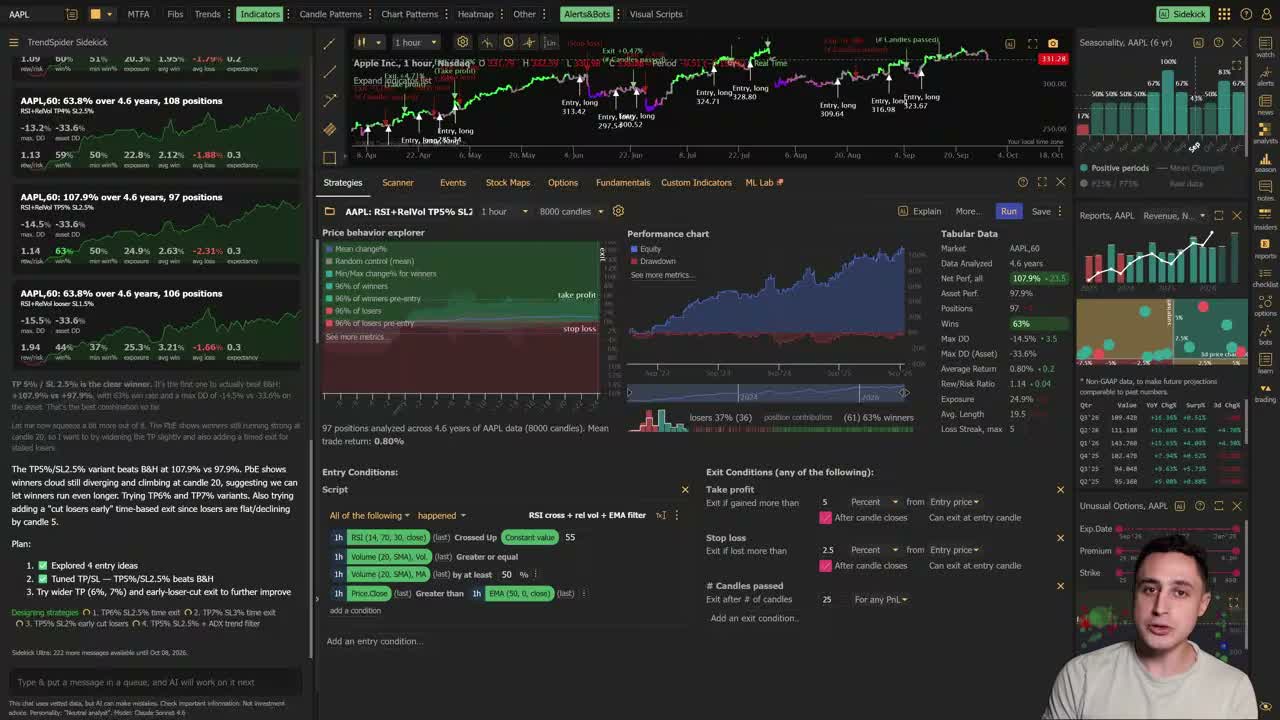
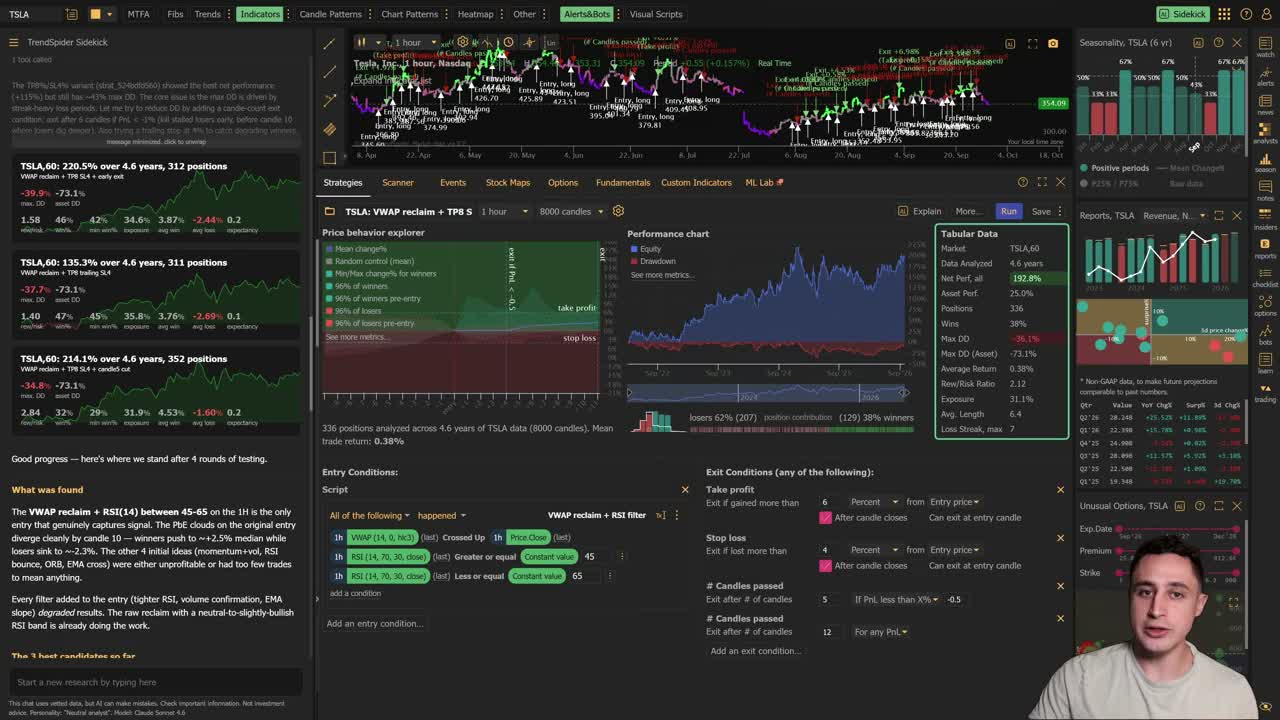
TrendSpider describes Sidekick building and backtesting strategies. Its current product page also describes testing variants, retaining strategies and reviewing results. A research loop is therefore a shared capability category.
Compare the tasks and artifacts: the original rules, candidate history, exact run inputs, cost assumptions, rejected trades and the reason a signal passed. In NexusTrade, external clients can combine these with datasets and source-backed company research.
Keep a reserved period outside candidate selection. An automated search across symbols, settings or dates can improve a development score while weakening the evidence that the selected rule generalizes.
TrendSpider’s official September 30, 2026 recording shows Sidekick candidate cards beside the selected chart, metrics and editable rules. The two frames below document that interface. They are vendor demonstrations rather than our own account executions, and the edited clip does not establish engine runtime or a matched return comparison.
A one-minute test is supported by both products
Show the table · 4 rows, 3 columns
Scroll sideways to compare all columns. Select a heading to sort.
| A one-minute stock signal | 1min is an available Strategy Tester timeframe. | Save 60-second cadence and request Minute in the historical test. |
| Add another position entry before exiting | The reviewed creation guide disallows scaling in or multiple entries in a row. | Inspect the authored Buy/allocation action, prior-fill filter and actual order ledger. |
| Investigate options | The product page includes US options via OPRA among chart/test asset classes. | Inspect dynamic contract selection, premiums, expirations and quote provenance in an options strategy replay. |
| Use AI to refine rules | Sidekick builds and tests strategies; conditions can also be authored visually or with JavaScript. | An external client can validate a structured draft, request a test and read its recorded evidence. |
No matching rows. Clear the filter to see all records.
First-party documented scope. OPRA chart/testing support is credited; it does not by itself establish equivalence to a multi-contract selection and expiry simulation.
Read TrendSpider's Strategy Tester creation guide for the one-minute timeframe and entry-sequence restriction. The saved cadence and trade-state rules in a NexusTrade example answer a different part of the execution contract.
Use an entry sequence to make the difference concrete
This sequence distinguishes a single entry/exit chart strategy from a portfolio that can add exposure after a prior fill. Keep the intended position size and risk bounds explicit; adding entries changes exposure.
NexusTrade documents DaysSinceOrder and LastOrderPrice with asset/side filters. The recorded examples retain the actual rule and available trade evidence so the clock can be checked.
The entry restriction describes the native Strategy Tester; verify custom-script workarounds separately.
Show the table · 3 rows, 3 columns
Scroll sideways to compare all columns. Select a heading to sort.
| First entry | The signal passes and no prior filled buy exists. | The first returned fill and its price, quantity, fee and timestamp. |
| An additional entry | A prior filled buy exists and the cooldown has elapsed. | Which Buy/Filled order supplied the clock, plus cash and position changes. |
| A price-relative exit | Compare the current value with the selected prior fill price. | The source quote, last-order selector and actual closing fill. |
No matching rows. Clear the filter to see all records.
A conceptual test plan, not fabricated orders. Whether a platform can express this sequence depends on its position and order-state model.
Separate options charts from an options portfolio experiment
TrendSpider's current strategy-development product page includes OPRA options, stocks, ETFs, futures, crypto and forex.
For a contract-selection experiment, specify underlying, call/put side, strike or moneyness, days to expiry, entry budget and exit rules. Then inspect the selected contract and historical bid/ask/fill assumptions. A chart label or timeframe setting cannot answer all of those questions.
The NexusTrade options bot case study retains actual variants and fill/coverage evidence. The short minutely example is a workflow demonstration and may finish with a contract still held; read its warning and open-position result.
Start with a bounded inspection request
Inspect the request
Use the Claude Code connection guide before the request. The same-client record is useful only when its returned fields and their scope are retained.
Inspect NexusTrade’s native rule and discovery workflow
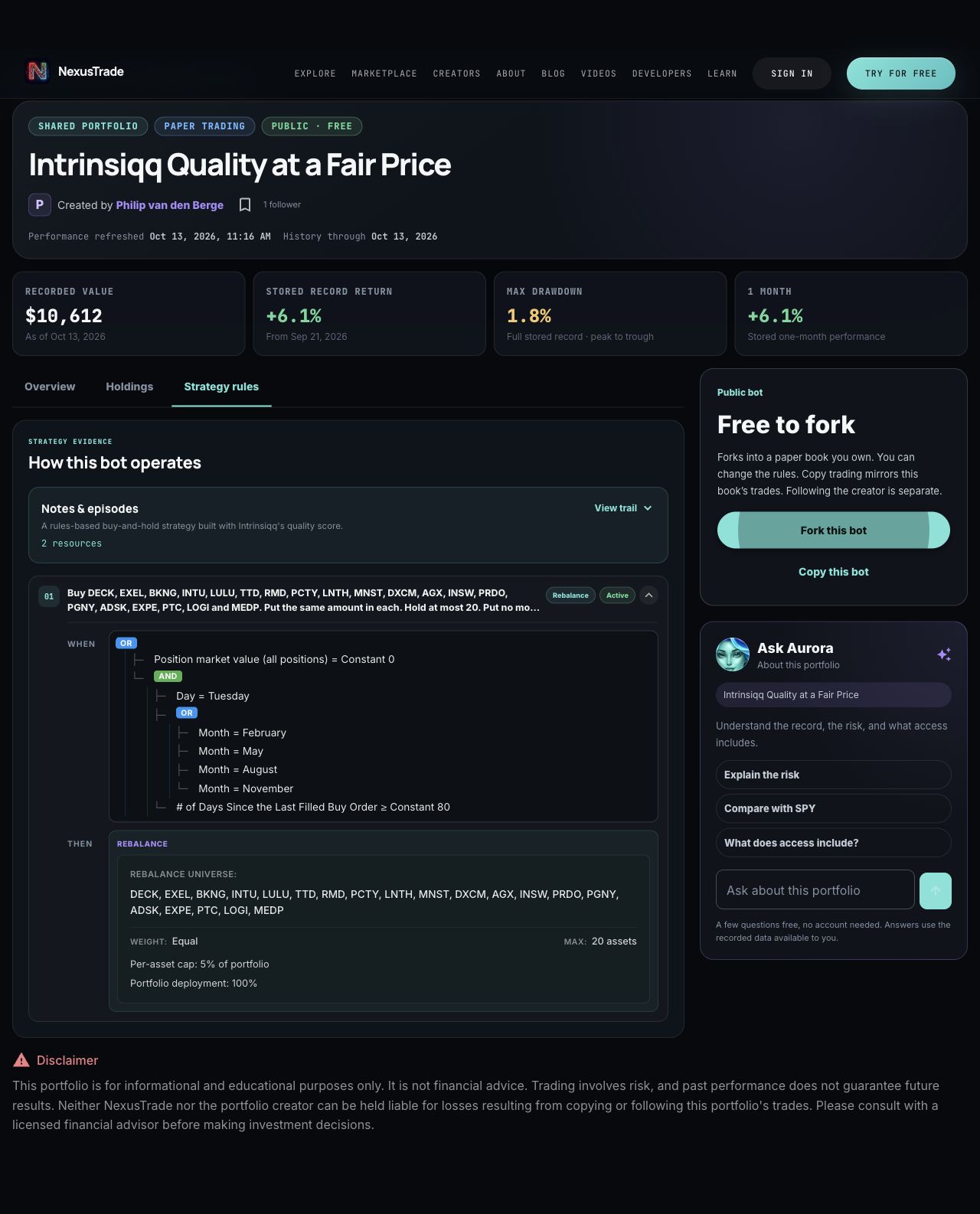
NexusTrade also has a native visual condition builder and a condition-tree view for saved strategy rules. Its marketplace supports filtering, comparing portfolios and copying a strategy to paper. Compare how each interface handles the same rule revision and result inspection before scoring ease of use; a Sidekick demonstration alone cannot establish that NexusTrade lacks a research loop.
The production capture below exposes the saved public rule as a nested tree and its portfolio allocation settings. Inspect the complete branches alongside the rebalance targets, equal weighting and allocation caps before changing a rule.
Match the chart, portfolio and phone workflow to your task
TrendSpider is a useful fit for a visual charting/scanning workspace, its Strategy Tester and Sidekick integration. NexusTrade is a useful fit when the task centers on structured portfolios, an external client, contract-selection rules and a retained research record.
The TrendSpider iPhone listing establishes its mobile app. The Strategy Tester instructions reviewed here describe the web application; verify the mobile feature rather than assuming desktop parity.
This page compares documented contracts and NexusTrade records. It does not claim a matched return or a superior fill for the same strategy. Test exact market coverage, account access and plan limits before selecting a workflow.
No comments yet.