Model subscription revenue
Arithmetic scenario. Excludes fees, taxes, refunds and churn.
Try the example, then change one input
Model a subscription scenario
Move Monthly price to $20 and Subscribers to 50. Only paying subscribers belong in this arithmetic scenario.
- Assumed price
- $20 / month
- Assumed subscribers
- 50
- Gross scenario
- $1,000 / month
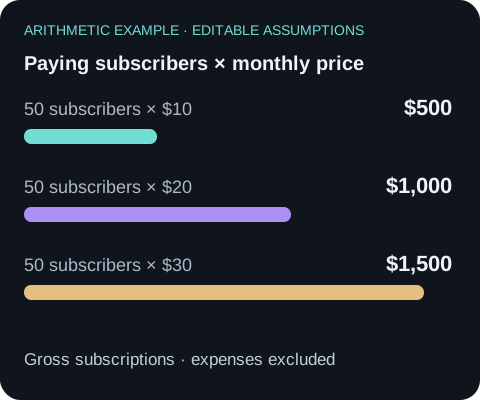
$20 × 50 = $1,000 gross monthly subscriptions. This is a scenario, not anyone's recorded earnings.
Change one assumption
Keep the subscriber count at 50 and change the price to $10. The output becomes $500 before fees, refunds, taxes and churn.
Use the calculator above$10 × 50 = $500 gross monthly subscriptions, before fees, refunds, taxes and churn.
Continue with your own portfolio
Open the example in Aurora, review the request and choose the portfolio or result you want to inspect. The request carries the assumptions and the evidence checks with it.
An editable draft opens. You choose when to send it; opening the draft does not run a test, publish a portfolio or place an order.
How the calculation works
Monthly gross subscription revenue equals the monthly price multiplied by the number of paying subscribers. Enter your own assumptions and compare scenarios before choosing a price.
The calculation excludes payment processing, platform fees, refunds, taxes, churn and failed payments. It predicts neither subscribers nor profit. Trial users and free subscribers do not count as paying subscribers.
Publish a portfolio
Create and share a portfolio, choose monetized sharing and configure its subscription price. Keep strategy notes and the displayed performance mode accurate so visitors can distinguish backtests, paper trading and live results.
No comments yet.