Follow one worked path
Start with a free lesson
Start with the free Algorithmic Trading Explained lesson. Follow the distinction between an indicator, a condition and the Buy action it can trigger.
Algorithmic Trading ExplainedYou can identify the measured value, the comparison and the resulting action before building a first strategy.
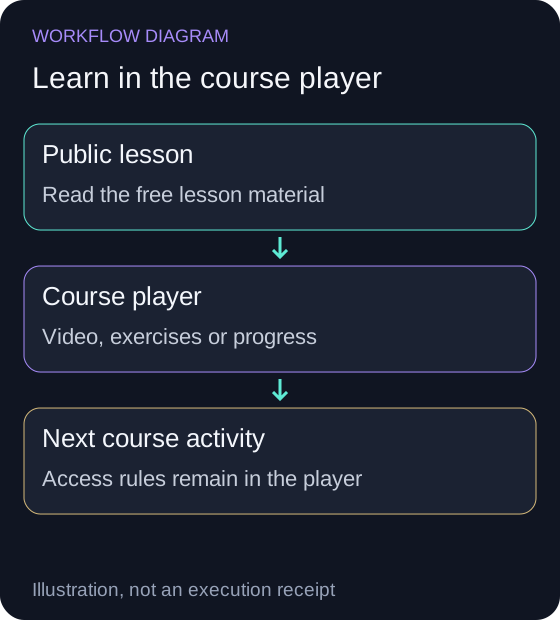
Continue in the course player
Open the player for video, activities and saved progress. Sign in when the course requires it.
Open the courseThe player handles access and progress; visiting this public guide does not complete an activity.
Inspect the course entry outline
Calculate a moving average, then decide whether a rule is true
Show the table · 4 rows, 2 columns
| Input or condition | Solution |
|---|---|
| SMA10 = sum of ten closes ÷ 10 | 1,045 ÷ 10 = 104.5 |
| Latest close > SMA10 | 109 > 104.5 is true |
| Latest close equals SMA10 | A strict greater-than condition is false |
| Rule is true | It can produce a signal; the allocation, position guard and order state are separate checks |
No matching rows. Clear the filter to see all records.
Use this ten-close worksheet: 100, 102, 101, 103, 104, 106, 105, 107, 108 and 109. They are authored prices for the exercise, not a dated SPY market series. Their sum is 1,045, so the ten-observation simple moving average is 104.5. Compare the latest close, 109, with 104.5.
What you will learn
Explore the full course learning outcomes
Explain how indicators, conditions, strategies, and portfolio backtests fit together
Follow the ten-close SMA calculation through the strict condition and the allocation decision in this worksheet.
Create a 10-day SMA and an RSI indicator through Aurora chat
Open Create Your First Indicators, ask Aurora for the saved indicator, then inspect its name, asset and window.
Define SMA-to-price and RSI threshold conditions for SPY
Compare SPY price with its moving average and an RSI value with its chosen threshold before authoring an action.
Create a paper portfolio and a first AMZN buy strategy
Separate the saved paper portfolio and buy rule from an evaluated signal and a filled order.
Run a buy-and-hold backtest and compare a strategy with a SPY benchmark
Read strategy and SPY returns over matching dates, with the same starting capital and recorded fee assumptions.
Describe paper deployment and the checks to make before considering live trading
Keep the backtest ID, paper portfolio ID and broker account identity separate when reviewing the next deployment.
Start with free lessons
Start with the published free lessons below to learn the tools and assumptions before choosing the full course.
Follow the curriculum
Inspect the complete course progression and access
Sign in to the course player for premium readings and answer explanations, and to save your progress. Learner responses stay private.
| Module | Description |
|---|---|
| Module 1: Introduction | See the course syllabus for this module’s lessons. |
| Module 2: Building Blocks - Indicators | See the course syllabus for this module’s lessons. |
| Module 3: Conditions & Actions | See the course syllabus for this module’s lessons. |
| Module 4: Building Strategies | See the course syllabus for this module’s lessons. |
| Module 5: Testing & Evaluation | See the course syllabus for this module’s lessons. |
| Module 6: Deployment | See the course syllabus for this module’s lessons. |
No matching rows. Clear the filter to see all records.
Course questions
Do I need prior trading experience?
No prior trading experience is required. This course starts from the basics and progressively builds your knowledge. We explain all concepts in plain English with practical examples.
What tools or software do I need?
Just a NexusTrade account! All activities are completed within the platform. No coding, Python, or external tools required - everything is done through our visual interface.
How long does the course take to complete?
The course is designed to take 6-8 hours, but you can go at your own pace. All progress is saved automatically, so you can pick up right where you left off.
Will I be able to trade real money after this course?
The course covers connecting a brokerage and deploying a strategy. Start with paper trading, review backtest limitations, and assess the risk before considering real money.
What brokerages are supported for live trading?
NexusTrade integrates with Alpaca, TradeStation, and Tradier. You can connect your existing account or open a new one through any of these brokers.
What if I get stuck or have questions?
We're here to help! Join our Discord community at nexustrade.io/discord where you can ask questions, share strategies, and connect with other traders. You can also email us directly at [email protected] for personalized support.
How is this different from free YouTube content?
The course combines videos with guided Aurora activities, quizzes, and work in NexusTrade. You'll create indicators, conditions, a first buy strategy, and portfolio backtests rather than only watching demonstrations. You can earn a completion certificate at the end.
No comments yet.